
GPT Image 2AIプロンプト
Cinematic 3D: Bustling Ancient China Street — Sora 2 Prompt
Create a stunningly detailed ancient Chinese intersection teeming with life, with customizable art style and lighting for hyper-realistic results.
プロンプト · EN
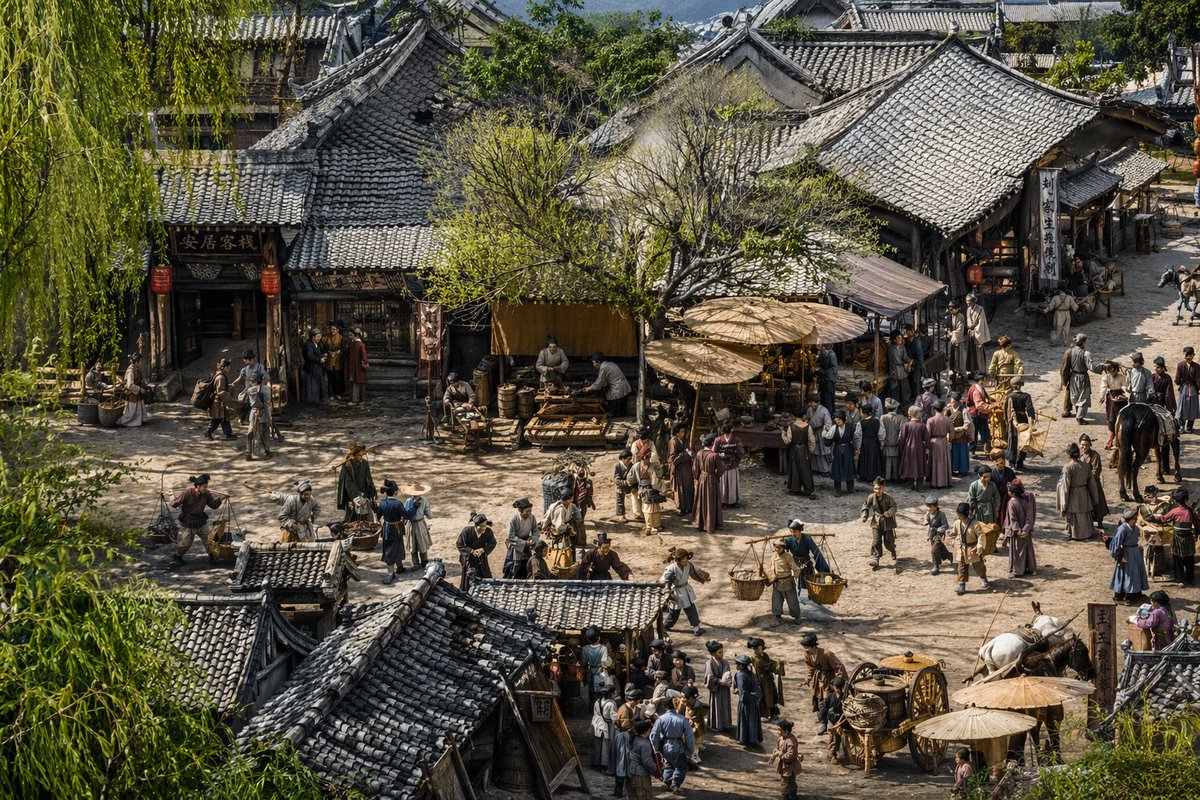
一幅高度细节化的 argart style: 超写实电影级 3D 渲染图,展现了 arghistorical setting: 灵感源自《清明上河图》的中国古代街景。采用俯瞰的广角视角,俯瞰着一个熙熙攘攘的土路十字路口,四周环绕着带有精致灰瓦屋顶的传统木质建筑。左侧的一座建筑挂着写有“安居客栈”的招牌,门外悬挂着红灯笼。场景中挤满了数十名身着传统古装的村民、商人和旅人。人们正在进行各种活动:挑着担子运送编织篮、在大型木伞下照看摊位、骑马,右下角还有人拉着一辆带有大辐条轮的木车。商店中央矗立着一棵枝繁叶茂的绿树,垂柳枝条勾勒出最左侧的前景。氛围生动且带有尘土气息,在 arglighting: 温暖的午后阳光 的照耀下,在纹理丰富、细节极其精细的环境中投射出清晰而复杂的阴影。
このプロンプトについて
Create a stunningly detailed ancient Chinese intersection teeming with life, with customizable art style and lighting for hyper-realistic results. Use it as a コンセプトアート starting point for GPT Image 2: keep the visual structure and style constraints intact, then swap in your own subject, brand, or scene.
Start by replacing art style, historical setting, and lighting, then keep the camera, composition, and material cues in the same order. This makes the output easier to compare across variations.
このプロンプトの使い方
- Copy the prompt template from this page.
- Open your preferred AI video or image model (e.g., Sora, Midjourney, Stable Diffusion).
- Replace the
{art style}and{historical setting}variables with your desired values, or keep the defaults for a classic look. - Adjust the
{lighting}variable to match your envisioned time of day or mood. - Generate your scene and iterate by tweaking the details for more precision.


