
GPT Image 2AIプロンプト
Side-by-Side Glow-Up Portrait — Sora 2 Prompt
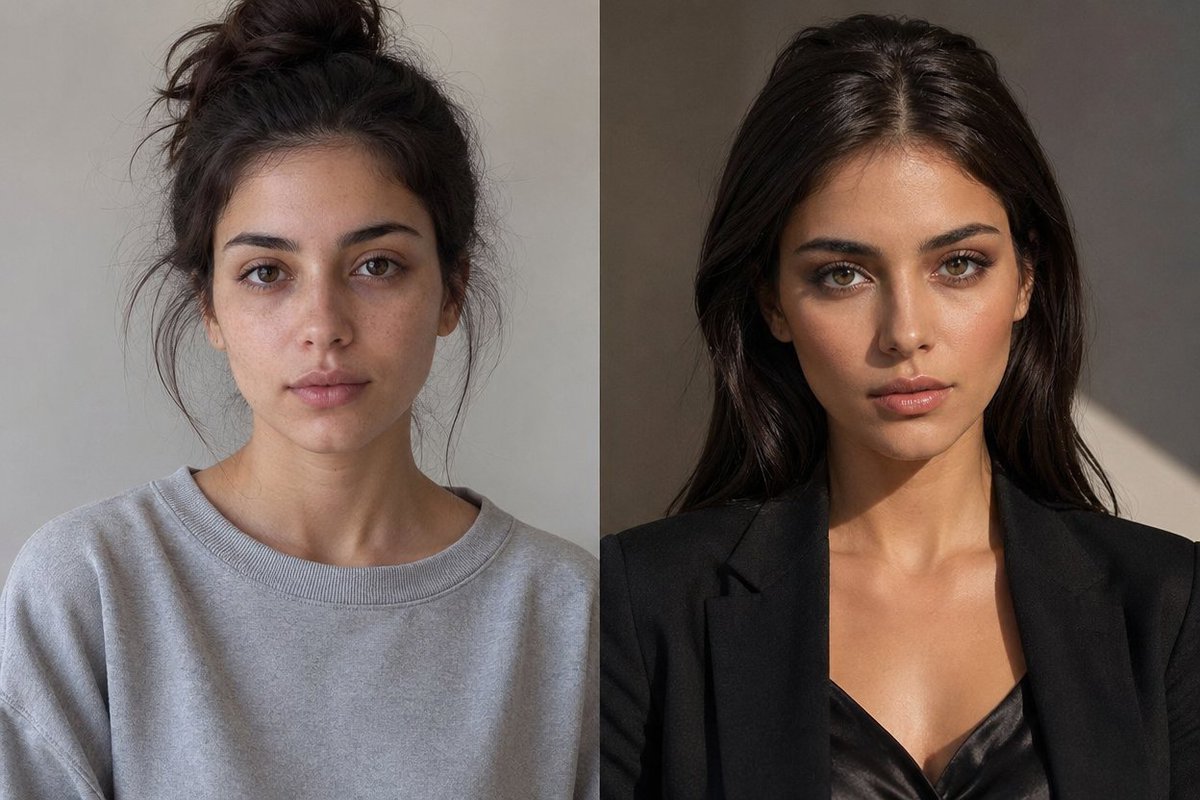
Create a photorealistic split-screen glow-up comparison showing the same person before and after a transformative makeover, with a privacy-friendly face block.
プロンプト · EN
创建一张逼真的并排摄影风格“焕新”对比图,展示同一位年轻女性,垂直平分为 2 个等大的面板。左侧面板展示 argtime label left: 今日 的她:休闲、略显随意,深棕色头发扎成凌乱的高丸子头,有几缕碎发散落,身穿超大号浅灰色圆领卫衣,背景为中性灰色的室内墙面,柔和的自然光,肩部以上肖像构图。右侧面板展示 argtime label right: 5 年后 的她:自信且精致,深棕色长发光泽顺滑并中分,身穿黑色修身西装外套搭配黑色缎面吊带衫,温暖的摄影棚灯光,在灰褐色墙面上投下富有戏剧性的光影,肩部以上肖像构图。确保两个面板中的体型、肤色、姿态和拍摄角度保持一致,以便清晰地看出是同一个人在“焕新”后的状态。在每个面板的脸部中心位置,使用与周围肤色相近的纯色矩形遮挡块遮住眼睛、鼻子和嘴巴。两个面板之间使用清晰的垂直分隔线,采用自然的时尚杂志摄影风格,纹理逼真,无文字,无 Logo,横向 3:2 构图。
このプロンプトについて
Create a photorealistic split-screen glow-up comparison showing the same person before and after a transformative makeover, with a privacy-friendly face block. Use it as a コンセプトアート starting point for GPT Image 2: keep the visual structure and style constraints intact, then swap in your own subject, brand, or scene.
Start by replacing time label left and time label right, then keep the camera, composition, and material cues in the same order. This makes the output easier to compare across variations.
このプロンプトの使い方
- Copy the entire prompt text from Sora2Hub.com.
- Open your preferred AI image generator that supports Sora 2 or similar models.
- Customize the
time label leftandtime label rightvariables to set your desired time frames (e.g., "Today" and "5 Years Later"). - Adjust any other details like clothing or background to your preference.
- Generate the image and review the side-by-side portrait result.


