
GPT Image 2AI Prompt
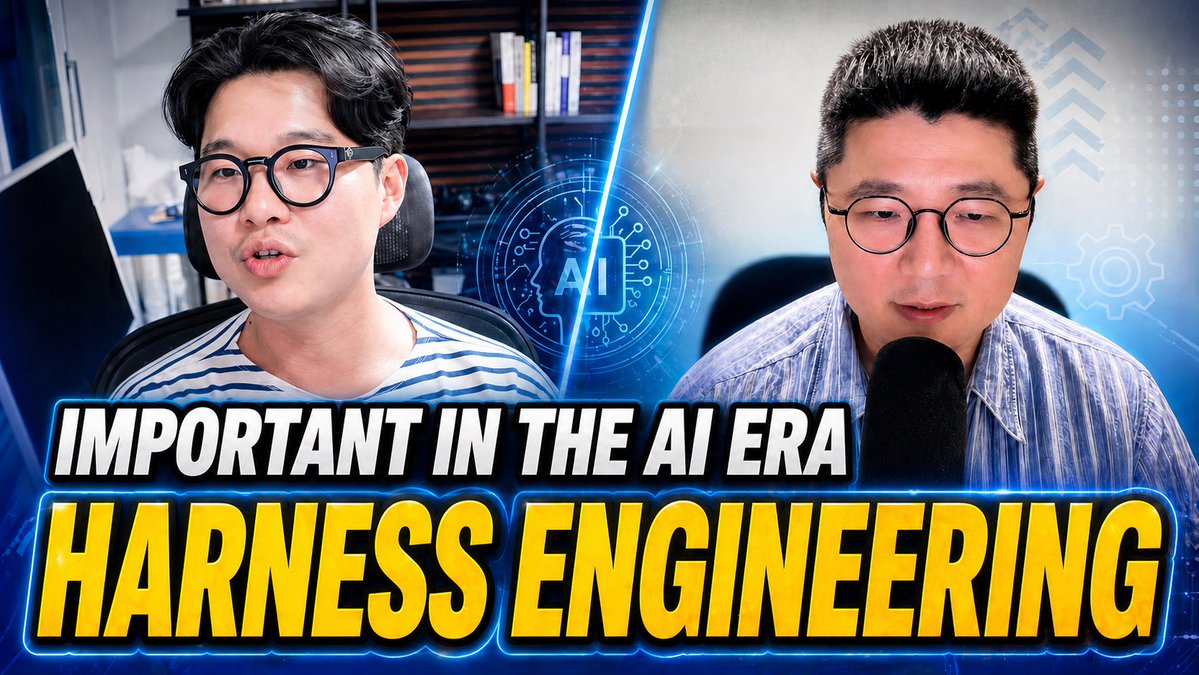
AI Era YouTube Thumbnail — Dual-Speaker Tech Split-Screen Prompt
Creates a high-impact, split-screen YouTube thumbnail with two speakers, glowing AI graphics, and bold headlines for tech or business content.
PROMPT · EN
一张关于 AI 时代 argtopic text: HARNESS ENGINEERING 的高影响力 YouTube 缩略图,16:9 比例,采用分屏构图,展示两位半身男性演讲者,分别位于左右两侧,均面向前方,背景为办公室或演播室环境。左侧演讲者深色头发,佩戴眼镜,身穿蓝白条纹衬衫,坐在办公椅上,背景为模糊的书架和书籍。右侧演讲者短深色头发,佩戴眼镜,身穿浅蓝色条纹衬衫,对着大型黑色麦克风讲话,背景为柔和的科技主题。一道发光的电光蓝斜线将画面一分为二。中心叠加一个未来感十足的圆形 AI 图标,图标内部为微芯片界面,带有“AI”字样,散发着霓虹蓝光。右侧添加微妙的 HUD 图形:右上角有 3 个向上箭头,中右侧有 1 个齿轮图标,以及淡淡的点阵网格。在下半部分,放置两行堆叠的超大加粗压缩大写标题,带有厚重的黑色轮廓、白色外描边和明亮的蓝色霓虹光效:顶行较小,白色文字显示 argtop headline: IMPORTANT IN THE AI ERA;底行更大,黄色至金色的渐变文字显示 argmain headline: HARNESS ENGINEERING。运用强烈的对比度、冷色调的蓝色分级、光泽感的缩略图质感、强烈的轮廓光、轻微的背景模糊,以及旨在实现最高点击率的活力科技商业美学。
About this prompt
Creates a high-impact, split-screen YouTube thumbnail with two speakers, glowing AI graphics, and bold headlines for tech or business content. Use it as a Concept Art starting point for GPT Image 2: keep the visual structure and style constraints intact, then swap in your own subject, brand, or scene.
Start by replacing topic text, top headline, and main headline, then keep the camera, composition, and material cues in the same order. This makes the output easier to compare across variations.
How to use this prompt
- Copy the entire prompt text.
- Choose an AI image generation model (e.g., DALL-E 3, Midjourney).
- Replace the default values in the
{argument}tags (e.g.,HARASS ENGINEERING) with your own topic and headlines. - Paste the customized prompt into the model's interface.
- Generate and select your preferred image for the thumbnail.


