
GPT Image 2AI Prompt
Hand Sketch to Ad: AI Sales Tool Image Prompt
Easily create a polished ad image for a sales tool from your hand-drawn sketch, featuring professional business people in a video call and abstract growth graphics.
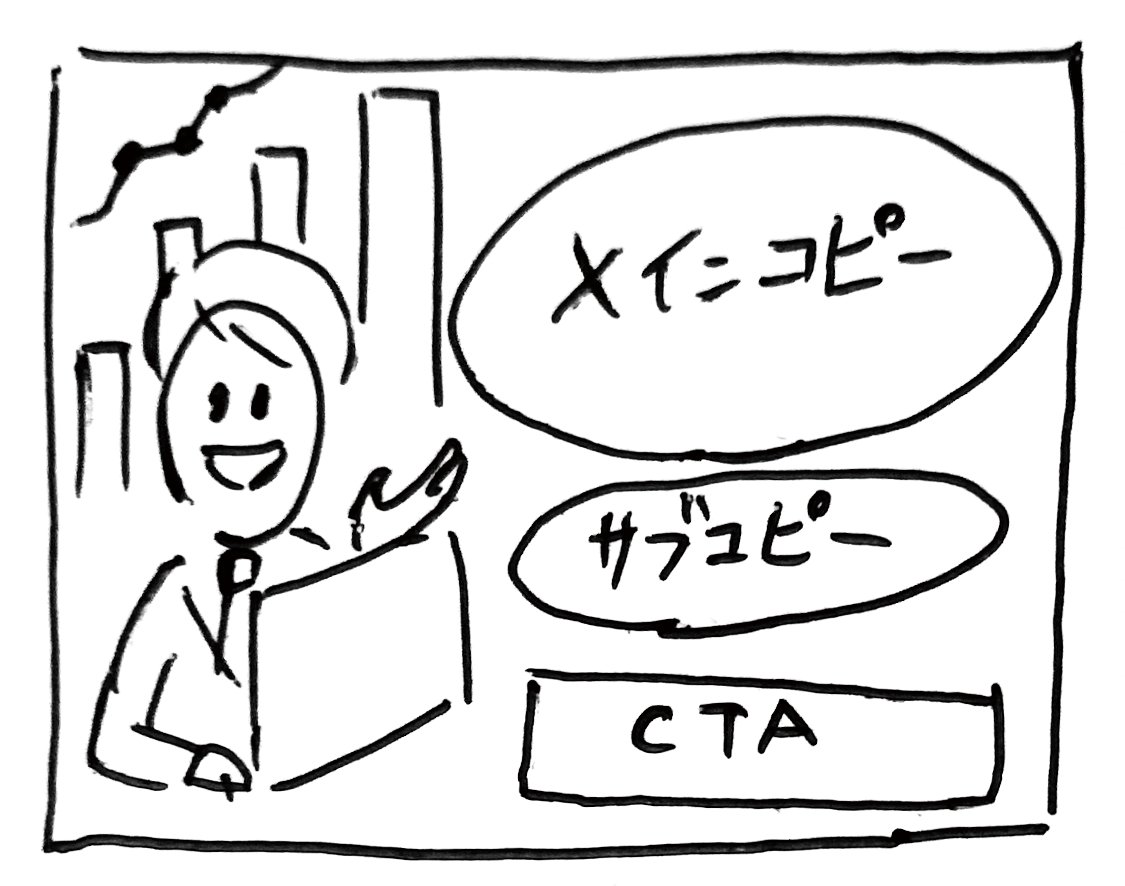
PROMPT · EN
请根据这张手绘草图(见附件)的布局,按照以下要求生成一张广告图片。 # 标题/项目
- 一款全新的 AI 销售支持工具:"argtool name: KAWAISALES" # 目的
- 获取免费演示版的注册用户 # 目标受众
- 为销售业绩苦恼的中小型企业销售代表 # 内容
## 主标题
- 何不让您的销售业绩借 AI 之力“腾飞”?
## 副标题
- AI 全力支持您的销售活动,从线索获取到最终成交!
## CTA
- 立即体验免费演示!
## 视觉元素 1
- 照片级写实风格,展示 30 多岁、身着西装的男女销售代表,正微笑着通过笔记本电脑与客户进行在线商务会议。
## 视觉元素 2
- 象征服务优势的抽象插图或图形,例如上升的图表或代表目标客户的图标。 # 印象
- 值得信赖、创新、高效、易于使用
About this prompt
Easily create a polished ad image for a sales tool from your hand-drawn sketch, featuring professional business people in a video call and abstract growth graphics. Use it as a Concept Art starting point for GPT Image 2: keep the visual structure and style constraints intact, then swap in your own subject, brand, or scene.
Start by replacing tool name, then keep the camera, composition, and material cues in the same order. This makes the output easier to compare across variations.
How to use this prompt
- Copy the prompt text to your clipboard.
- Open an AI image generator (e.g., Sora 2, Midjourney) that supports image-to-image generation.
- Upload your hand-drawn sketch as a reference image, then paste the prompt into the text field.
- If desired, replace
{argument name="tool name" default="KAWAISALES"}with your own tool name and adjust other details. - Generate the image and refine as needed.


