
Blood Sugar Monitoring Flyer Prompt — Sora 2
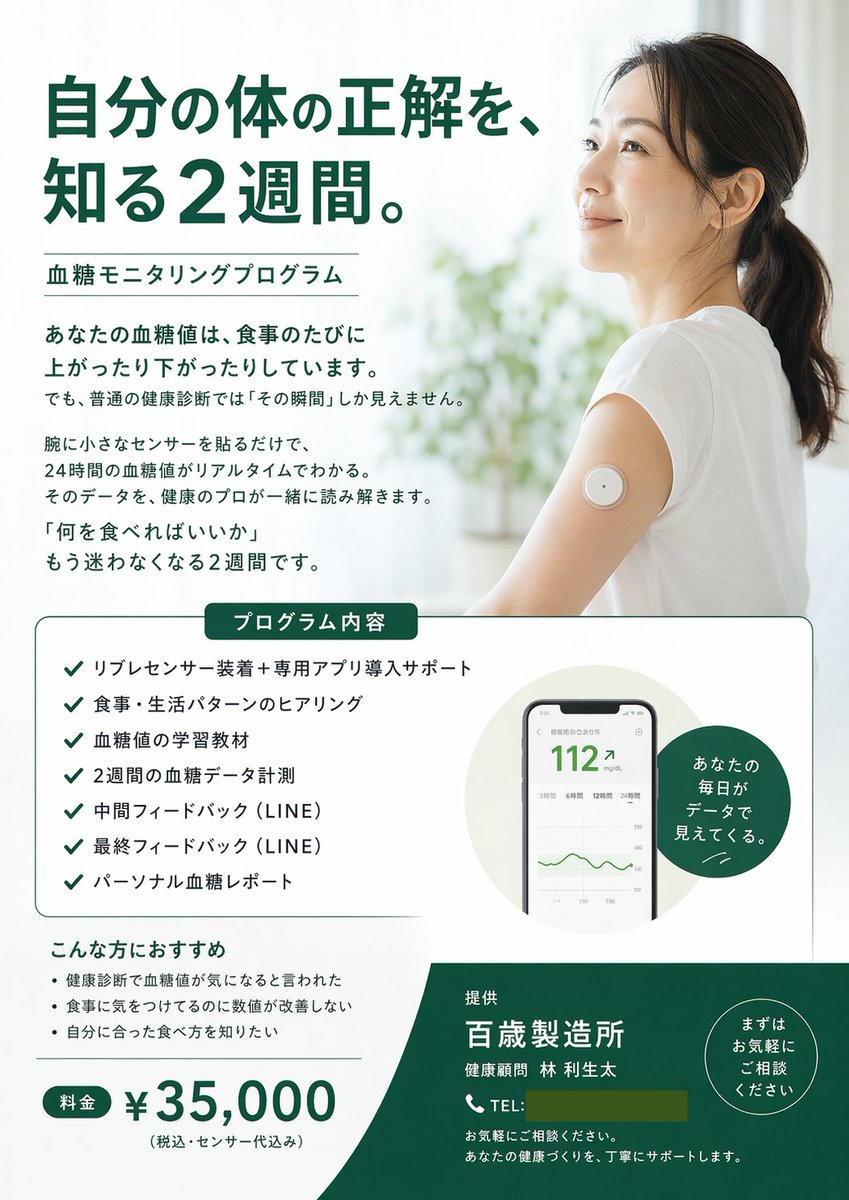
Generate a clean, medical-style promotional flyer for glucose monitoring programs, complete with hero image, checklist, device mockups, and pricing table.
About this prompt
Generate a clean, medical-style promotional flyer for glucose monitoring programs, complete with hero image, checklist, device mockups, and pricing table. Use it as a Concept Art starting point for GPT Image 2: keep the visual structure and style constraints intact, then swap in your own subject, brand, or scene.
This prompt is organized as structured JSON with fields such as type, style, color palette, and layout. Keeping that hierarchy helps the model separate the subject, layout, interface elements, and detail constraints.
Start with small changes to subject, scene, camera, and color, then generate a few variations to compare composition and detail without turning the page copy into keyword stuffing.
How to use this prompt
- Copy the JSON prompt from the snippet above.
- Open Sora 2 and paste it into the design input field.
- Customize the arguments in curly braces: main headline, program name, price, and company details.
- Click 'Generate' to see the flyer layout.
- Tweak any section—like colors or checklist items—and regenerate until satisfied.


