
GPT Image 2AI Prompt
Luxury Menswear Street Portrait — Realistic AI Photo Prompt
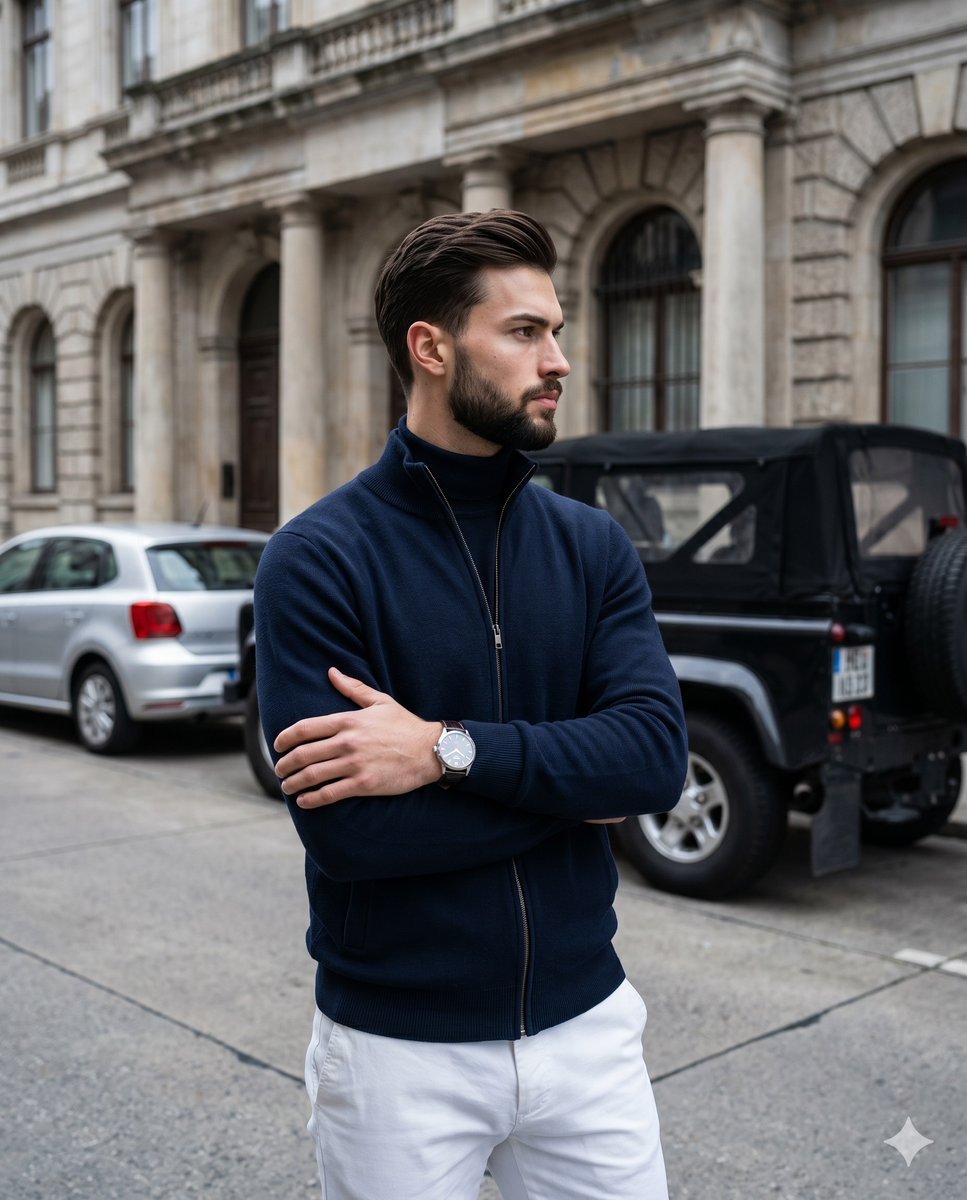
Generate a photorealistic, magazine-style street portrait of a stylish young man in customizable luxury outfit against a classical architectural backdrop.
PROMPT · EN
一张照片级写实的全景街头肖像,一位时尚的年轻男子站在城市人行道上,背景是一座宏伟的历史石建筑,带有高大的立柱、拱形窗户和古典建筑细节。他位于画面中心,双臂交叉站立,身体略微侧向一边,目光看向镜头外。他的面部经过柔和的矩形模糊处理,刻意遮挡。他留着修剪整齐的深棕色头发,发量浓密且向后梳理。他身穿一件修身的 argjacket color: 海军蓝 拉链针织夹克,内搭同色系深色高领毛衣,佩戴一块浅色表盘的银色腕表,下身穿着干练的 argpants color: 白色 长裤。他身后的路边停放着 2 辆车:左侧是一辆银色掀背车,右侧是一辆带有后挂式备胎的黑色越野 SUV。构图为竖构图,呈现时尚杂志风格,景深较浅,人物焦点清晰,车辆和建筑背景呈现柔和的虚化效果。光线为阴天下的柔和自然日光,色调沉稳,皮肤和织物纹理真实,展现出精致的奢华男装风格、干净的城市氛围以及高端生活方式摄影美学。
About this prompt
Generate a photorealistic, magazine-style street portrait of a stylish young man in customizable luxury outfit against a classical architectural backdrop. Use it as a Concept Art starting point for GPT Image 2: keep the visual structure and style constraints intact, then swap in your own subject, brand, or scene.
Start by replacing jacket color and pants color, then keep the camera, composition, and material cues in the same order. This makes the output easier to compare across variations.
How to use this prompt
- Copy this prompt and paste it into your chosen AI image generator (e.g., Sora 2, Midjourney).
- Select a model that supports photorealistic or cinematic output styles.
- Customize the
jacket colorandpants colorvariables to match your brand or creative vision. - Adjust aspect ratio to vertical/portrait orientation for best results.
- Generate the image and refine if needed by tweaking lighting or background details.


