
GPT Image 2AI Prompt
Interactive Doodle Art Transform — Sora 2 Prompt
Transform any photo into playful hand-drawn doodle art that interacts with your subject's poses and gestures.
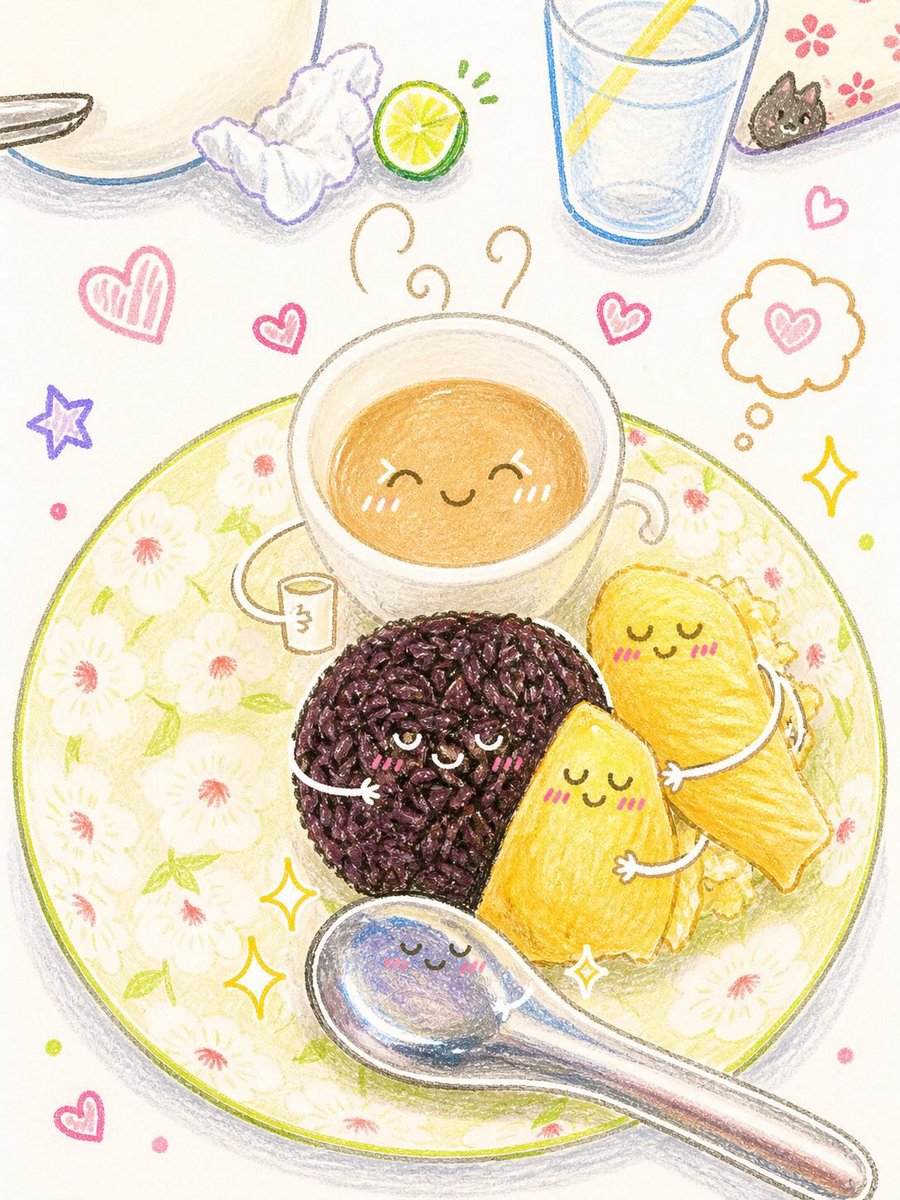
PROMPT · EN
分析上传的图像并保留原始主体、构图和光影。请勿改变主体本身的身份或结构。添加与图像中主体直接交互的趣味手绘涂鸦。涂鸦应模仿、跟随或夸张主体呈现的形状、手势或动作——例如勾勒姿势、延伸肢体、添加运动线条,或创造出与主体“互动”的创意元素。请将整张图片制作/转换为 argoutput style: 卡通可爱涂鸦。
About this prompt
Transform any photo into playful hand-drawn doodle art that interacts with your subject's poses and gestures. Use it as a Concept Art starting point for GPT Image 2: keep the visual structure and style constraints intact, then swap in your own subject, brand, or scene.
Start by replacing output style, then keep the camera, composition, and material cues in the same order. This makes the output easier to compare across variations.
How to use this prompt
- Copy this prompt and paste it into a compatible AI image generation tool.
- Select a model that supports image-to-image or style transfer, like Sora 2 or similar.
- Upload your source image as the input.
- Optionally change the
{output style}variable (e.g., to 'cute cartoon sketch' or 'line art') to customize the look. - Generate the image and review the result. You can refine the prompt or your input image for better interaction between the doodles and the subject.


