
GPT Image 2AI Prompt
Japanese-Style Summer Fashion Sale Banner — 60% Off Ad Prompt
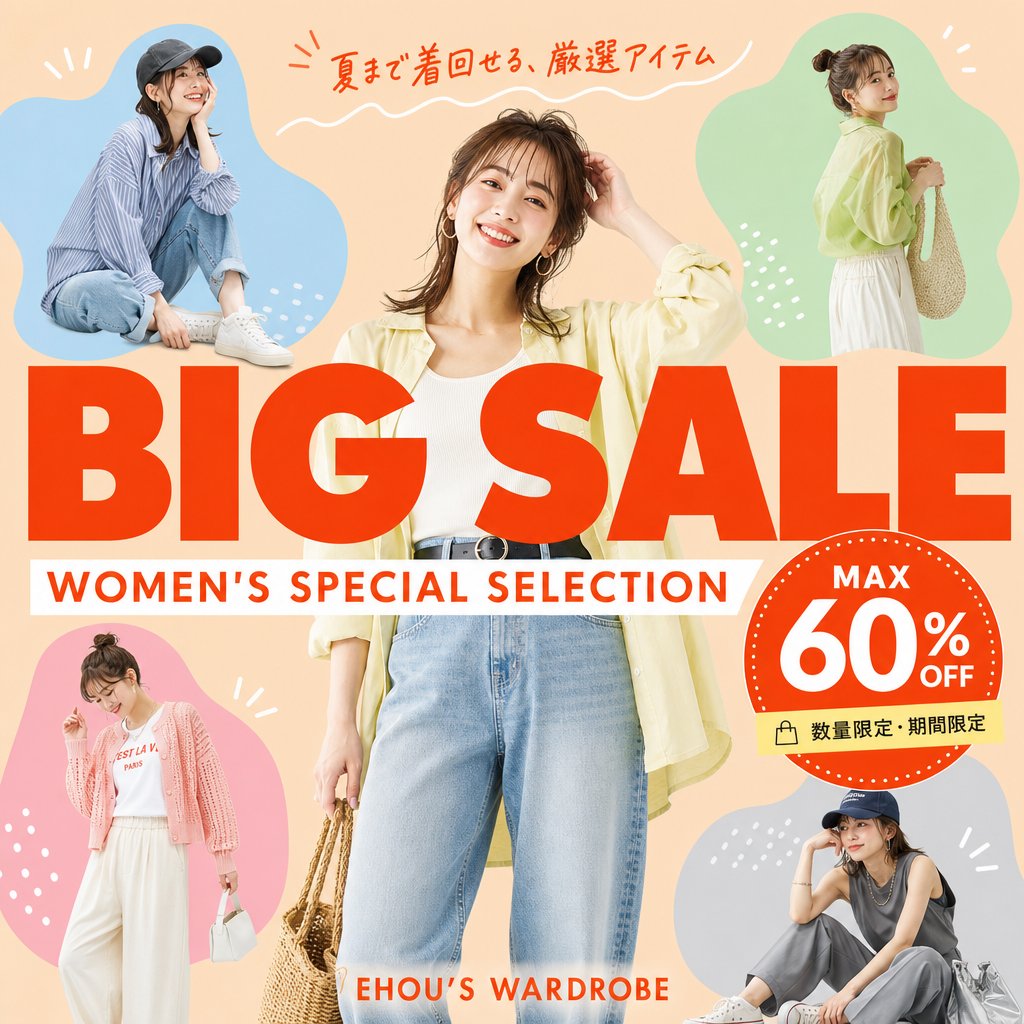
Generate a vibrant, square e-commerce banner with Japanese text, 5 stylish female silhouettes, and a bold 60% discount badge for social media promotions.
1 / 4
PROMPT · EN
目标:为女士夏季服装促销活动制作一张方形时尚电商促销横幅,包含准确的日语文本,呈现出明快活泼的商品目录广告风格。 画布:1:1 方形社交媒体图片,桃米色背景,明亮的夏季配色,简洁的商业布局,无边框或水印。 布局:在中央放置一位大型全身女性时尚模特,顶部和底部略微裁剪,身穿 argcentral outfit: 浅黄色开衫、白色罗纹背心、高腰浅蓝色牛仔裤、黑色腰带、圈形耳环,手提编织草编包。在她周围放置 4 个较小的时尚模特剪影,并置于柔和的有机色块中:左上角蓝色色块内为一位身穿条纹衬衫、牛仔裤、白色运动鞋并戴着深色鸭舌帽的休闲坐姿模特;右上角绿色色块内为一位身穿浅黄色衬衫、白色裙子并背着编织肩包的站姿侧面模特;左下角粉色色块内为一位身穿粉色开衫、白色印花 T 恤、白色阔腿裤并手提白色小包的站姿模特;右下角灰蓝色色块内为一位身穿深色无袖上衣、灰色长裤、白色运动鞋、戴着鸭舌帽并手提银色托特包的坐姿模特。在色块周围使用简单的白色装饰涂鸦:短射线、圆点和小弧线。 主标题:中央横跨醒目的红色大号大写标题 argmain title: BIG SALE,略微覆盖中央模特。在标题正下方,添加一个白色横幅,上面写有红色大写副标题 argsubtitle: WOMEN'S SPECIAL SELECTION。在最顶部,添加手写风格的红色日语文案 argtop Japanese copy: 夏まで着回せる、厳選アイテム,并配以白色波浪下划线。在底部中心附近,添加小号红色品牌文字 argbrand text: EHOU’S WARDROBE。 折扣徽章:在右侧覆盖标题处,创建一个带有白色虚线边框的大型红色圆形徽章。徽章内包含 3 个文本元素:顶部为“MAX”,中心为超大的“60%”,右下角为“OFF”。在徽章下方附加一个浅黄色小标签,带有购物袋图标和日语文本 arglimited offer text: 数量限定・期間限定。 视觉风格:照片级真实的时尚模特与醒目的平面图形相结合,杂志促销传单美学,暖色调灯光,饱和的红色排版,清晰的剪影边缘,俏皮而精致的日式零售广告设计。 限制:总共包含 5 位女性:1 位中央模特加 4 位周围的小模特。包含 4 个彩色背景色块:蓝色、绿色、粉色和灰蓝色。保持所有文字清晰、拼写正确且易于阅读。不要添加额外的模特、额外的徽章、额外的标志或不必要的文字。
About this prompt
Generate a vibrant, square e-commerce banner with Japanese text, 5 stylish female silhouettes, and a bold 60% discount badge for social media promotions. Use it as a Concept Art starting point for GPT Image 2: keep the visual structure and style constraints intact, then swap in your own subject, brand, or scene.
Start by replacing central outfit, main title, subtitle, and top Japanese copy, then keep the camera, composition, and material cues in the same order. This makes the output easier to compare across variations.
How to use this prompt
- Copy the entire prompt text into your AI image generator (e.g., Sora 2). 2. Select a model that supports photorealistic and graphic design styles. 3. Customize the bracketed variables—such as
central outfit,main title, andbrand text—to match your specific products and brand identity. 4. Generate the image and iterate by adjusting colors or layout descriptions as needed.


